












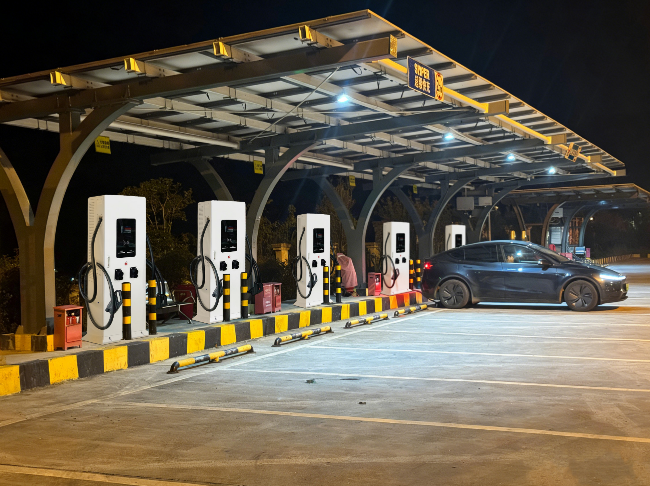
A 60–160kW DC EV charger is designed for commercial charging stations, fleet depots, highway service areas, and other locations that require fast and reliable EV charging. However, successful operation involves more than installing the charger. Proper electrical preparation, software configuration, payment setup, and daily operation are all essential.
As an EV charging equipment manufacturer, Deedian provides DC charging solutions and technical support to help installers, distributors, and charging network operators prepare their projects for operation.
Installation Guide for 60–160kW DC Chargers
Step 1: Select the Right Transformer Capacity
Before installing a DC fast charger, confirm that the site’s electrical supply can support its maximum power demand.
A preliminary transformer sizing method is:
Transformer capacity (kVA) = Charger power (kW) ÷ 0.8
Using this simplified planning factor, the estimated capacities are:
DC charger power Preliminary transformer capacity
60kW 75kVA
80kW 100kVA
120kW 150kVA
160kW 200kVA
These figures are preliminary estimates, not final transformer specifications. The actual selection must account for charger input power, power factor, efficiency, other site loads, future expansion, and applicable electrical regulations. A suitable safety margin may also be required.
For projects with multiple chargers, the transformer should be sized according to the expected simultaneous load and the site’s load-management strategy.
Step 2: Prepare the Correct Input Cables and Circuit Breaker
Our 60–160kW floor-standing DC chargers are designed for commercial installations. For the models covered by this guide, the expected supply is three-phase 380V AC; the exact voltage and frequency must be confirmed against the selected model’s datasheet.
The following cable and breaker values are taken from our preliminary factory reference table:
Charger power Reference input cable specification Reference breaker
60kW 3×25 + 2×16 mm², or 3×35 + 2×16 mm² 3P / 125A
80kW 3×35 + 2×16 mm², or 3×50 + 2×25 mm² 3P / 200A
120kW 3×70 + 2×35 mm², or 3×95 + 2×50 mm² 3P / 250A
160kW 3×120 + 2×70 mm² 3P / 350A
Important: These values are reference specifications, not a substitute for project-specific electrical design. Cable sizing and breaker selection must be verified against the charger’s rated input current, cable length, installation method, ambient temperature, voltage drop, fault protection, and local electrical codes. Confirm the neutral and protective-earth conductor requirements in the installation manual.
For project-specific cable and protection recommendations, contact Deedian with the charger model, supply voltage, cable distance, and installation conditions.
Step 3: Complete OCPP Configuration
After electrical installation and commissioning, configure the charger to communicate with the charging management platform.
OCPP (Open Charge Point Protocol) enables compatible charging stations to communicate with a central management system. Depending on the platform and charger configuration, operators can monitor charger status, manage charging sessions, and access operational data.
Before delivery, Deedian can assist with OCPP configuration when the required platform details and settings are provided in advance. This can help reduce setup work at the installation site.
Before going live, confirm the OCPP version, server URL, network connection, authentication settings, and communication status with the platform provider.
Step 4: Configure Electricity Prices and Payment Methods
Charging operators should configure the applicable charging prices in the OCPP backend or the connected management platform, where supported.
Depending on the platform, operators may be able to set energy-based prices, time-based fees, or other supported charging tariffs. Confirm which pricing rules your platform supports before launch.
Also verify that the selected payment methods work correctly. Available options may include QR-code payment, RFID cards, POS terminals, or PIN-based activation, depending on the charger’s hardware and software configuration.
Testing these functions before opening the station helps reduce payment problems and improves the customer experience.